

Cookbook editors receive an overhead photograph of a finished dish. The plate nearly fills the frame, one handle of the serving bowl is cut off, and a bright napkin competes with the food. Preparing the image is not simply a matter of increasing color. An AI photo editor supports several photographic changes, but the editorial task begins with the relationship between the dish, its container, and the space around them.
The photograph needs to communicate the recipe as prepared and fit its assigned page role. An opening image and a small process picture have different jobs. Cookbook editors therefore decide which view they have before changing its crop, light, or surrounding details. The accepted image remains connected to the photographed preparation rather than becoming a more decorative arrangement whose ingredients and portion relationships have silently changed.
Establish the Recipe View before Using an AI Photo Editor
Cookbook editors first identify the information supplied by the picture. A complete overhead view shows the arrangement of the dish inside its container. A close detail emphasizes a surface or texture. Neither view becomes the other merely through a different output size. The photographed plate boundary helps establish what the image actually includes.
An AI photo editor is assessed against that role. The editor selects references at the plate rim, the main food area, and a brighter surrounding object. These locations anchor later decisions about crop and tone. This preparation prevents a strong color in one garnish from becoming the sole approval criterion for a photograph whose framing still misrepresents the serving container or hides an important part of the composition.
Plan the Crop around the Serving Container
The crop is considered before small distractions are retouched. Cookbook editors follow the outline of the bowl or plate and inspect the available space on every side. A handle already absent from the original photograph is a different issue from excess table area around a complete container. Another recorded view supplies a different framing choice when the existing picture omits a needed part.
Before continuing in an AI photo editor, the editor also considers the direction of the food arrangement. Rotating the photograph changes its orientation on the page; cropping changes the included area. The page design is reviewed so a tight crop does not imply a smaller serving simply through the removal of much of the container.
- Trace the serving container before choosing the final crop
- Separate an opening photograph from a process detail image
- Keep a complete source view beside each cropped version
- Review garnish color together with the main prepared food
- Check the saved picture inside its assigned page space
Review Food and Surroundings Together in an AI Photo Editor
Brightness and color changes are judged through the whole dish. Cookbook editors compare pale food, darker cooked surfaces, and the container rather than selecting only a colorful garnish. A brighter image changes the relative weight of these areas. An adjustment is accepted when the photographic relationships suit the chosen presentation, not merely because the picture appears more vivid.
The AI photo editor comparison keeps these decisions attached to the source. A bright napkin outside the plate remains a separate image feature from a pale sauce within it. Changing saturation across the photograph affects both food and surroundings. Cookbook editors therefore assess the serving container and tabletop again after color treatment.
Match an Adjustment to the Image Problem
Cookbook editors choose a correction according to its effect on the photograph. Crop, exposure, highlights, and saturation address different relationships. They are not interchangeable routes to the same finished image. A pale rim with little separation from the tabletop has another review point from a dark food area that contains recorded internal texture.
An AI photo editor is therefore evaluated through named locations and the intended page use. Changes are inspected separately before their combined effect is approved. Cookbook editors confirm that the dish and its container still read as one photographed preparation. The adjustment decision remains photographic, while wording about ingredients or quantities stays attached to the recipe and its preparation notes.
| Adjustment | Effect | Use Case | Review Point |
|---|---|---|---|
| Crop around the complete container | Reduces unused surrounding image area | Opening photograph with excessive tabletop | Plate extent remains understandable in the page layout |
| Rotation of the recorded view | Changes orientation within the composition | Handle direction competing with adjacent text | Food arrangement retains its photographed relationship |
| Exposure adjustment | Shifts the overall tonal presentation | Underlit dish beside a brighter table surface | Main food and container are judged together |
| Highlight adjustment | Reweights the palest recorded areas | Light ceramic rim near a bright cloth | Separate shapes retain their own boundaries |
| Saturation adjustment | Alters color intensity across the picture | Garnish drawing more attention than the prepared dish | Ingredient appearance stays tied to the source preparation |
| Distinct saved page version | Connects the accepted treatment to its use | Wide opening image beside a tighter recipe detail | Correct file accompanies the assigned editorial role |
Retouch Surrounding Distractions without Redefining the Dish
A loose item on the table has another role from an ingredient on the plate. Cookbook editors identify the difference before using object removal or retouching. The change replaces image content in a selected area, so it is checked against the actual preparation. A plausible patch of food is not an additional record of what was served.
With an AI photo editor, the review follows the original dish boundary and the neighboring surface. An unwanted table object receives its own decision. A garnish or cooking mark is considered through the recipe photograph rather than treated automatically as clutter. Another recorded image is selected when it communicates the required preparation more reliably.
Connect an AI Photo Editor to the Recipe Image Review
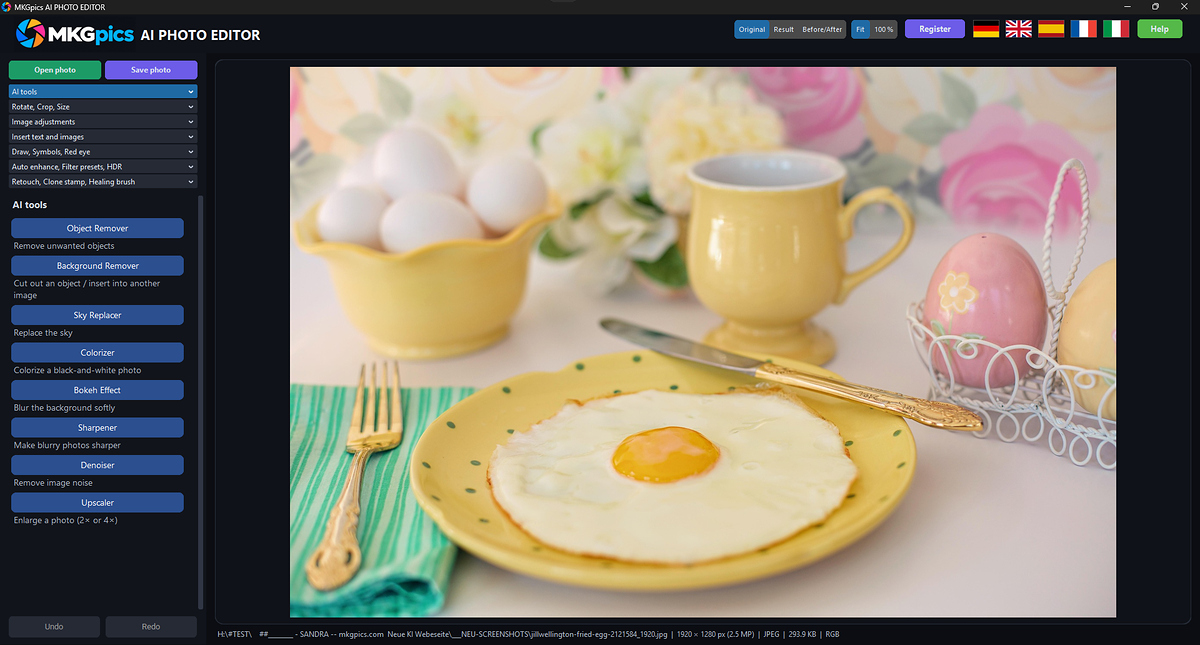
The AI photo editor combines crop, rotation, image adjustments, and AI functions on the same photograph. Cookbook editors compare the working result with the original and take back changes that disrupt the chosen presentation. An exposure change in an AI photo editor affects the pale sauce and ceramic rim within the same photograph, so cookbook editors judge food brightness alongside the serving boundary.
Processing runs on the local computer without uploading the recipe photograph. Saving creates a new result while retaining the source image. Cookbook editors choose PNG, JPG, WebP, TIFF, or PDF for the accepted picture and inspect the actual output. Its crop and treatment are then checked in the assigned page space. The complete source stays available, so another layout does not begin from a previously cropped image whose container extent is no longer apparent.
Review the Recipe Page as a Related Image Sequence
Cookbook editors compare the opening photograph with any process and detail pictures. The sequence needs an understandable relationship between the prepared dish and its closer views. An AI photo editor output is linked to the relevant recipe and image role. A similar photograph of another preparation is not treated as interchangeable merely because its colors fit the page more closely.
The final check includes framing, tone, and the saved file selected for placement. Another crop begins another assessment of these properties. A tighter picture gives individual textures more weight, while the full dish view explains their location. Cookbook editors keep those roles distinct. The recipe description continues to refer to the actual preparation, not a newly emphasized visual fragment.
Preserve the Prepared Dish through the Editing Decisions
Cookbook editors assess an AI photo editor through framing, tonal relationships, and the picture’s page role. A stronger garnish color or brighter surface is not enough to approve the entire photograph. Crop and retouching are checked against the dish and serving container, while the saved output is reviewed inside its layout. The source photograph and recipe information remain identifiable. New page uses begin another framing decision rather than automatically inheriting an older crop. This keeps image treatment connected to the recorded preparation and prevents a more decorative rendering from silently changing the apparent ingredients, serving relationship, or completeness of the photographed dish.